Pages

Friday, April 14, 2023

How to Install Microsoft Office on Linux

 Microsoft Office on Linux is possible. Here are three methods for getting Microsoft Office installed in a Linux environment.

The most widely used office productivity suite in the world is Microsoft Office. It doesn't matter if your PC runs Windows 10 or macOS, it's likely that you're using Microsoft Office. If you're not, you have a colleague who is.
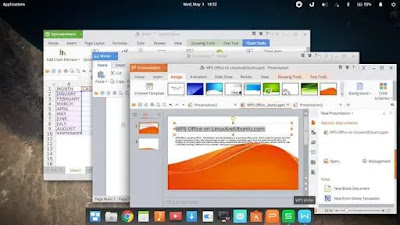

But your PC runs Linux. How on earth are you going to install Microsoft Office on Linux and use it without running into problems?

Getting Microsoft Office on Linux is easy. We cover three methods for running Microsoft Office in a Linux environment.

How to Install Microsoft Office on Linux

You have three ways to run Microsoft's industry-defining office software on a Linux computer:

  1. Use Microsoft Office on the web in a Linux browser
  2. Install Microsoft Office using PlayOnLinux
  3. Use Microsoft Office on a Windows virtual machine

Note that there is no Microsoft Office 365 for Linux. There is also no MS Office for Linux, but these methods let you run Microsoft Office on Linux without the enhancements Office 365 brings. In case you're not sure, here are the differences between MS Office and Microsoft Office 365.

Option 1: Use Microsoft Office in a Browser

It might not be the full Microsoft Office, but what is made available via your browser is certainly good enough for a big chunk of office-based tasks. It's an easy way to start without paying for the full Microsoft Office suite.

Word, Excel, PowerPoint, and Outlook can all be accessed via your browser and Microsoft account.

Is your copy of Microsoft Office via monthly subscription to Office 365? Linux users can take advantage of the advanced browser-based tools that make this version of Office almost as complete as the Windows, Mac, and mobile versions.

As the suite is browser-based, it's not going to be available offline. However, you can make things smoother by setting office.live.com as a desktop shortcut. Files will be saved to the cloud, and the best way to manage this is with a Microsoft OneDrive account.

Without Office 365, you'll get a stripped-back collection of features. Though useful in a pinch, it doesn't do everything you expect.

Option 2: Install Microsoft Office Using PlayOnLinux

Need the full Microsoft Office on Linux? You'll need to install it. Now, you probably think that it isn't possible to install Windows software on Linux, and to a certain degree, that is true. Fortunately, other tools are available to help you install Windows software like Microsoft Word on Linux, along with the rest of the office suite.

The simplest way to install Microsoft Office on Ubuntu is using CrossOver or PlayOnLinux. The following instructions are for installing Office 365 on Ubuntu, but you'll be able to customize this for distros that use different package managers.

Install PlayOnLinux

Begin by opening a terminal and installing winbind:

sudo apt install winbind

This is a tool that ensures that PlayOnLinux correctly links the Windows login on the software you're attempting to install. You may also need to install cURL and p7zip-full if they're not already installed.

Next, install PlayOnLinux.

sudo apt install playonlinux

Alternatively, you can open your distro's app installer. On Ubuntu 20.04 LTS and above, use Ubuntu Software to search for PlayOnLinux and click Install. Wait for the installation to complete.

Now, all you need to do is launch PlayOnLinux from Menu > Applications. To install Microsoft Office, click the Office tab, then either use the search field or browse the list. Note that you'll need to install the full suite, as no individual apps (aside from Project 2010, Word Viewer, and Excel Viewer) are available.

You'll notice that with each app you select in PlayOnLinux, a summary of compatibility is displayed on the right. For further details about this, click the link. A browser window will take you to WineHQ, where you can find out more.

On Linux, you're limited to Microsoft Office 2016 as the latest version (the 32-bit version, at best). For the best, most stable results, use Microsoft Office 2016 (method B). For this, you'll need the installation media (or ISO file) or setup file, along with a genuine product key.

Install Microsoft Office on Ubuntu With PlayOnLinux

With the ISO file ready, click Install.

The PlayOnLinux wizard will start and prompt you to select a DVD-ROM or a setup file. Choose the appropriate option, then Next. If you're using a setup file, you'll need to browse to where this is stored on your Linux system.

Click Next to proceed with the installation. Once complete, Microsoft Office will be ready to run on Linux.

You'll be able to run Microsoft Office from the desktop without separately loading PlayOnLinux, which will run in the background.

Need a feature that is only available in the latest version of Microsoft Office? Consider CrossOver, a paid tool with a free trial that can run more recent versions of Microsoft Office.

Installation of CrossOver is more straightforward than PlayOnLinux, while installation of Office is along similar lines (there is a developmental connection between the two tools).

And yes, having Windows software running effortlessly on your Linux PC really is amazing, isn't it? You'll find that PlayOnLinux can support several other applications, as well as many Windows games. In short, this is how you can install MS Office on Ubuntu.

Option 3: Install Microsoft Office 365 on Linux in a Windows VM

There is another option for anyone wishing to install Microsoft Office on their Linux computer. This isn't as easy as the others, however, unless you're already running a Windows virtual machine.

In this case, all you need to do is boot your virtual machine, sign into Windows, and install Microsoft Office. Linux users can install any version of Office this way, unlike using Wine/PlayOnLinux, which can be useful for file compatibility.

Get Microsoft Office for Linux Today!

Microsoft Office is not the most ideal option for running office tasks on Linux systems. However, if it's what you need to get the job done, you have four good options to install MS Office on Linux.

Yes, open-source alternatives are best for most Linux office productivity tasks but installing Microsoft Office overcomes document compatibility problems. This can prove vital in meeting deadlines or accessing complex spreadsheets and databases.

Once you've sorted out installing Microsoft Office on Linux, don't stop there. You can install much more Windows software on Linux.

 Run Microsoft Windows Applications and Games on Mac, Linux or ChromeOS save up to 20% off  CodeWeavers CrossOver+ today. 

Running WeavePoint on an Apple Mac computer

WeavePoint is made for Windows. There is no WeavePoint version for Mac OS, but you can still run WeavePoint on a Mac.

One option is to use Wine, as CrossOver or PlayOnMac, this does not require Windows. This way, WeavePoint can integrate seamlessly in Mac OS, you don't really "see" Windows, WeavePoint starts and runs from Mac OS.


This page is about installing WeavePoint on a Mac with CrossOver and PlayOnMac (or other versions of Wine). If using Parallels, Boot Camp, WM Fusion or similar, see their instructions instead.

Note that loom control via a serial port will not work under CrossOver/PlayOnMac/Wine at present.

Note that updates of your macOS operating system may require that you also update your Crossover or PlayOnMac versions.

Update March 2023: We now recommend CrossOver. PlayOnMac 4.4.3 cannot be used with WeavePoint and later versions of macOS. We've tested WeavePoint and Crossover 22 with macOS 12.6 Monterey, and it seems to work well. The latest macOS updates has created problems for WeavePoint running under PlayOnMac 4.4.3 or before. WeavePoint starts as normal, but dialogs cannot be opened. This means we cannot recommend PlayOnMac for the moment. A future PlayOnMac update may correct this.


Installation by CrossOver

How to install WeavePoint with CrossOver

For new bottle name, you can write "WeavePoint".


Mouse

It can be convenient to use a mouse for drawing in the WeavePoint grids. Note that if you use an Apple mouse and it appears to have only one button, you can add right-click in your Mac's System Preferences.

Right-click is used in WeavePoint to erase in grids. Another way to do a right-click is Ctrl+click or click with two fingers on the trackpad.


Some observations

To keep your patterns easily available in one location, it can be recommended to save pattern files in the WeavePoint folder under the Documents folder.

When clicking the yellow button to minimize WeavePoint, the WeavePoint running icon will appear in the Dock. If the program does not reappear when you click the icon, right-click or Ctrl+click the icon and choose WeavePoint.

If the grids do not appear to fill the WeavePoint window correctly, close and restart WeavePoint.


Font size and smoothing

The menu and dialogue text fonts may look slightly different from when you run WeavePoint under standard Windows. Text size will depend on your Mac's screen size and resolution.

If you open CrossOver, click Wine Configuration and then select Graphics, there is a setting for Screen Resolution (DPI). If you increase this to 120 DPI (recommended), menu text, Help text and other texts will get larger.

Text fonts in dialogues etc. may not look as smooth and "dark" as expected. It is possible to fix this, although it may seem a little bit more andvanced. It requires a small, plain text file (like you can make with Notepad in Windows) and must have the subfix .reg. On a Mac, you can use TextEdit. In the Format menu, select Make Plain Text. Copy the text below and paste it in. You can can save it as smoothfont.reg (or something similar). In CrossOver, click the Run command and write Regedit. When Regedit opens, in the Registry menu, click Import Registry File and open your reg file. If a success, fonts should now be better. This is how the file should look (note: a blank line under the version line, only one blank line allowed):

Windows Registry Editor Version 5.00

[HKEY_CURRENT_USER\Control Panel\Desktop]
"FontSmoothing"="2"
"FontSmoothingType"=dword:00000002
"FontSmoothingGamma"=dword:00000578
"FontSmoothingOrientation"=dword:00000001

Printing

If WeavePoint does not recognize your printer, you can use File/Export/Save as PNG-image, to save a hight quality image and then open the image in a standard Mac program to print it. Another workaround is to install a virtual PDF printer called PDFWriter on your Mac. Once installed you can print to PDFWriter and then open the resulting PDF file in the native Mac program Preview and then print it.

Computer Assisted Looms

If using electronic loom control, note that this will not work under PlayOnMac/CrossOver/Wine at present. If you have an AVL loom with Compu-Dobby IV or later or a Little Weaver, you can use AVLDrive for Mac to run the loom: Design in WeavePoint, save as wif-file and open the pattern in AVLDrive to weave.

 Run Microsoft Windows Applications and Games on Mac, Linux or ChromeOS save up to 20% off  CodeWeavers CrossOver+ today.

Saturday, April 8, 2023

Codeweavers CrossOver promo code for 2023

 Hello Everyone,

I want to share my CodeWeavers coupon / promo code, the code is ( TOM23 ) and its good for a instant 20% discount off any product in CodeWeavers online store. Just go to CodeWeavers store and enter the code then update and you will see your discount. This promo code is valid until December 31st 2024 so feel free to share it with family and friends so they can also save 20% off CrossOver for Linux, Mac, ChromeOS. 
 
This coupon code currently isn't valid for a discount off CrossOver Lifetime. But if you should decide to purchase CrossOver LifeTime you will receive 65 Swag Bucks that can be used in CodeWeavers Swag store.


Putty for Mac
Putty for Mac
$10.00

https://winereviews.onfastspring.com/putty-for-mac

Friday, April 7, 2023

How To Play Roblox On Linux

 Roblox is one of the most talked-about and played in the gaming community right now. But with only options for Windows & Mac downloads, many Linux users are feeling left out. But till the devs plan to release an official version, there are several workarounds you can do to get it done for now. So today let’s look at how to get, install, and play Roblox on Linux Ubuntu.

Here’s how to get, install, and play Roblox on Linux Ubuntu:

  1. Open Internet Browser on your Linux system.
  2. We are using Mozilla Firefox for this process.
  3. Go to WineHQ webpage.
  4. Click on “Ubuntu”.
  5. Select the Ubuntu version you have.
  6. Make sure to remove any old Wine package repository first.
  7. This page will guide you with all commands.
  8. Still for your convenience, we will share them here.
  9. Open Ubuntu Terminal with Ubuntu using Ctrl+Alt+T.
  10. Type in 32-bit architecture command:
    • sudo dpkg –add-architecture i386.
  11. Now download the repository key:
    • wget -nc https://dl.winehq.org/wine-builds/winehq.key.
    • sudo apt-key add winehq.key
  12. Add the repository according to your Ubuntu version:
    • Ubuntu 21.10 – sudo add-apt-repository ‘deb https://dl.winehq.org/wine-builds/ubuntu/ impish main’
    • Ubuntu 21.04 – sudo add-apt-repository ‘deb https://dl.winehq.org/wine-builds/ubuntu/ hirsute main’
    • Ubuntu 20.10 – sudo add-apt-repository ‘deb https://dl.winehq.org/wine-builds/ubuntu/ groovy main’
    • Ubuntu 20.04 | Linux Mint 20.x – sudo add-apt-repository ‘deb https://dl.winehq.org/wine-builds/ubuntu/ focal main’
    • Ubuntu 18.04 | Linux Mint 19.x – sudo add-apt-repository ‘deb https://dl.winehq.org/wine-builds/ubuntu/ bionic main’
  13. Now use the update command:
    • sudo apt update
  14. Use of the below package:
    • Stable branch:
      • sudo apt install –install-recommends winehq-stable
    • Development branch:
      • sudo apt install –install-recommends winehq-devel
    • Staging branch:
      • sudo apt install –install-recommends winehq-staging
  15. We used the Stable branch
  16. Now get Roblox for the Windows version
  17. Wait for it to complete
  18. Open “download folder” in “File Manager”
  19. Find the Roblox file
  20. Right-click, open with, choose “Wine Windows Program Loader”
  21. Roblox will install now
  22. Once done, you will see the Roblox icon on your desktop
  23. Right-click & select “Allow Launch”
  24. Log in with your Roblox account, and enjoy

Run Microsoft Windows Applications and Games on Mac, Linux or ChromeOS save up to 20% off  CodeWeavers CrossOver+ today.
Sunday, April 2, 2023

Run Windows software on Mac Linux and ChromeOS with CodeWeavers CrossOver

 Even if you’re not a Windows user, you never know when you might need Windows to run a certain software. For instance, did you know TurboTax for Business is only available on Windows?


If you’re running a Mac, Linux, or ChromeOS operating system, CrossOver+ Windows Compatibility App is a major asset. CrossOver is the easiest way to run Microsoft applications on your non-Windows computer without dealing with the clunkiness of a Windows emulator. Rather than an emulator, CrossOver translates Windows commands to your present operating system, allowing you to run Windows software as if it was designed for your native environment. From productivity software to games, it all runs better, and you can set it up in a matter of minutes.

Michelle Delio of Wired writes, “In general, running CrossOver Office was so similar to using Office on a standard Windows system that it was sometimes difficult to remember the PC was actually running Linux.”

Run Microsoft Windows Applications and Games on Mac, Linux or ChromeOS save up to 20% off  CodeWeavers CrossOver+ today.

Wine development release 8.5 is now available for Linux FreeBSD and macOS

The Wine development release 8.5 is now available.

What's new in this release:

  • Bundled vkd3d upgraded to version 1.7.
  • Better error reporting in the IDL compiler.
  • Support for shared Wow64 Classes registry key.
  • More cleanups in IME support.
  • Support for configuring a WinRT dark theme.
  • Various bug fixes.

The source is available now. Binary packages are in the process of being built, and will appear soon at their respective download locations.

Bugs fixed in 8.5 (total 21):

 - #44547  Deus Ex: invisible War v1.2 crashes when using the hotkey to quickload a saved game
 - #46562  Notepad++ 7.6.3 crashes when searching twice and first time found results
 - #47326  Fair Strike fails to map joystick due to IDirectInputDevice8 SetActionMap being a semi-stub.
 - #53704  Bible Black ~La Noche de Walpurgis~ won't start
 - #53794  Sins of the Solar Empire Rebellion (Gog 1.975.1) crashes on unimplemented function concrt140.dll.?_CheckTaskCollection@_UnrealizedChore@details@Concurrency@@IAEXXZ
 - #53981  Chromium broken sandbox due to GetSecurityInfo giving access denied
 - #54560  mscoree:mscoree - test_loadpaths_execute() sometimes gets directory creation errors
 - #54618  VARA FM crashes on unimplemented function pdh.dll.PdhVbGetDoubleCounterValue
 - #54640  Treecomp listviews and possibly other widgets are not drawn
 - #54675  Chocolatey OpenSSH installer fails
 - #54679  Conspiracy's Clean Slate 64K demo crashes due to HLSL shader compilation failure
 - #54687  LibreVR Revive fails to run (CertGetNameStringW with dwType=CERT_NAME_ATTR_TYPE and pvTypePara missing additional fallbacks)
 - #54691  reg.exe:copy, reg.exe:delete, reg.exe:export, reg.exe:import & reg.exe:query (+32-bit reg.exe:add) - The 64-bit tests fail due to ERROR_ACCESS_DENIED errors in Wine
 - #54701  Ultimate Race Pro crashes after intro movies
 - #54702  ldp.exe crashes when attempting to add, delete, modify, or compare an entry without a name
 - #54707  adsldp:ldap - test_DirectorySearch() fails on Windows and Linux
 - #54710  imm32:imm32 - test_ImmEscape() fails in the Korean locale on Windows
 - #54711  imm32:imm32 - test_ImmGetProperty() fails in the Korean locale on Windows
 - #54724  LDAP bind over SSL to a server and port that do not support SSL hangs forever
 - #54727  LDAP Explorer (LEX) throws an exception when attempting to connect over SSL
 - #54729  wine build fails with bison 3.0.5

Run Microsoft Windows Applications and Games on Mac, Linux or ChromeOS save up to 20% off  CodeWeavers CrossOver+ today.

Thursday, March 30, 2023

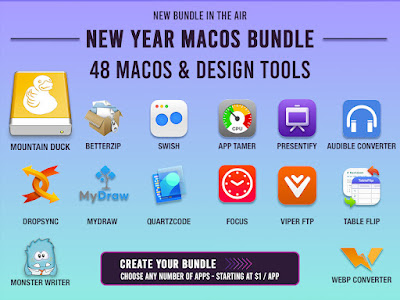
BundleHunt 2023 New Year macOS bundle ends today


The BundleHunt 2023 New Year bundle will be ending today if you haven't already grabbed some amazing software at highly discounted prices this is the time to do it.

48 Premium macOS Software titles to choose from.

Wine stable release 7.0.2 is now available for Linux FreeBSD and macOS

The Wine stable release 7.0.2 is now available.

What's new in this release:

  • Various bug fixes

The source is available now. Binary packages are in the process of being built, and will appear soon at their respective download locations.

Bugs fixed in 7.0.2 (total 43):

 - #36711  Sid Meier's Civilization IV crashes while loading saved game (GOG.com complete, Colonization, Warlords, Beyond the Sword)('winetricks -q msxml3' is a workaround)
 - #39346  Lego Rock Raiders crashes on startup (d3drm_device_init doesn't handle device version 3 case)
 - #40444  Find doesn't jump to a found item in WinSCP when editing a file
 - #42751  Multiple applications crash on unimplemented function msvcr{100,110}.dll.?_Schedule@_StructuredTaskCollection@details@Concurrency@@QAEXPAV_

UnrealizedChore@23@@Z (Gas Guzzlers Combat Carnage, Clip Studio Paint, Cube World, Intel ACAT)
 - #42857  Can't select a fixture in FreeStyler's fixture editor
 - #44814  cygwin's bsdtar.exe needs a better ntdll.NtQueryEaFile stub
 - #46822  Edit control in ADL search dialog gets initially not drawn in DC++ 0.868, regression
 - #47375  Multiple applications crash on unimplemented function msvcr120.dll.?_Schedule@_StructuredTaskCollection@details@Concurrency@@QEAAXPEAV_

UnrealizedChore@23@@Z (Photoshop C 2018, CLIP Studio Paint)
 - #48487  MSYS based Git 2.25 installer reports 'could not decode hex <hexstring>' (needs support for CryptStringToBinaryW CRYPT_STRING_HEX)
 - #48600  Bloomberg Terminal needs unimplemented function dbghelp.dll.SymSrvGetFileIndexInfo
 - #49285  PNotesPortable crashes inside WritePrivateProfileStructW
 - #50948  taskmgr.exe: wrong memory usage unit (GB => MB)
 - #51788  windowscodecs:wmpformat test_decode() fails randomly
 - #51842  include/winnt.h:403:50: error: size of unnamed array is negative
 - #52457  CNG Encryption Failure (BCryptEncrypt)
 - #52534  ListView: multi select never sends LVN_ODSTATECHANGED
 - #52545  ACE rights parser should allow octal and decimal formats
 - #52686  DateAdd not implemented
 - #52831  Kernel32::GetSystemPowerStatus returns invalid data if /sys/class/power_supply/BAT0 is missing
 - #52841  Leverless arcade controller SOCD cleaning does not work
 - #52972  wineusb.sys: add_usb_device erroneously releases critical section on failure path
 - #52975  VTFEdit fails to start: err:module:LdrInitializeThunk "MSVCP80.dll" failed to initialize, aborting
 - #53003  XM6 TypeG: some MIDI note-on messages aren't sent to MIDI devices (MIDI running status isn't supported in the MIDI mapper)
 - #53005  quartz:systemclock Fails after timeGetTime() wraps
 - #53027  Port Royale 4 crashes with wined3d_texture*
 - #53032  winedevice.exe segfaults on exit when built with GCC
 - #53051  Kvaser software crashes on unimplemented function ntoskrnl.exe.ExNotifyCallback
 - #53123  ListView: Ctrl+Shift+LMouse multiselect on LVS_OWNERDATA listviews erroneously sends LVN_ODSTATECHANGED
 - #53169  Rich edit control becomes unstable or trips assertion after ITextRange::SetFont is called
 - #53170  Rich edit control becomes unstable or trips assertion after changing TextFont properties
 - #53234  nsi:nsi - test_ndis_ifinfo() fails randomly on Windows 10 1507
 - #53310  Roblox Fails With HttpSendRequest
 - #53335  Crash when converting an rich text editor already containing text into a password input
 - #53455  shell32:recyclebin - test_query_recyclebin() gets unexpected recyclebin size in Wine
 - #53569  postgresql installer 9.3 needs correct string length returned from fso.GetTempName
 - #53587  comctl32 GetWindowSubclass crash in Notepad++ (v8.4.3 and 8.4.4 only)
 - #53614  KeePassXC crashes on unimplemented function msvcp140.dll.?ReportUnhandledError@_ExceptionHolder@details@Concurrency@@AEAAXXZ
 - #53645  AIMP 3 causes memory leaks
 - #53706  NtDeviceIoControlFile() is quite slow when called with and invalid handle
 - #53714  SQLGetInfo(W) doesn't fill StringLength when InfoValue is NULL
 - #53800  CRYPT_GetBuiltinDecoder Unsupported decoder for lpszStructType 1.3.6.1.4.1.311.2.1.4
 - #53821  winbase.h: ReOpenFile declaration missing (and not available in any other header)
 - #53832  wbemprox: where-clause seems to be case-sensitive

Run Microsoft Windows Applications and Games on Mac, Linux or ChromeOS save up to 20% off  CodeWeavers CrossOver+ today.

Sunday, March 19, 2023

Wine development release 8.4 is now available for Linux FreeBSD and macOS

The Wine development release 8.4 is now available.

What's new in this release:

  • Initial step of the Wayland graphics driver.
  • Cleanups in IME support.
  • A number of test fixes.
  • Various bug fixes.

The source is available now. Binary packages are in the process of being built, and will appear soon at their respective download locations. 


Bugs fixed in 8.3 (total 29):

 - #24256  3D Sexvilla 2: extremely long loading times
 - #34011  Path of Exile stutters constantly
 - #37146  Untis 2015 (.NET 4.0 app) crashes on startup with Wine-Mono
 - #37495  Multiple PC/SC applications need winscard.SCardEstablishContext implementation (AusweisApp2 1.x german identity card app, SmartCard test apps, Seneka EBDYS client, Aruba Key)
 - #39113  Multiple PC/SC applications need winscard.SCardListReaders implementation (Aruba key, SmartCard test apps)
 - #43224  Freelist scan can result in O(n) time when allocating
 - #45756  Button not clickable when dpi setting changed in Office 2007 Installer
 - #49113  Wine heap performs badly when multiple threads are concurrently allocating or freeing memory
 - #51259  6.0.1 Introduces error causing Wavelab to close when loading presets
 - #52506  Setup of game "What's the Secret?" fails to create icon
 - #53094  ntdll:rtlstr test crashes on win32 arch with hi-IN locale
 - #53176  KeePassXC needs Windows.Security.Credentials.KeyCredentialManager (UWP)
 - #53504  Sacred:unhandled exception in Wine 7.14
 - #53728  Escape from Tarkov needs DisplayConfigGetDeviceInfo(DISPLAYCONFIG_DEVICE_INFO_GET_TARGET_NAME) implementation
 - #54112  rouvy : fails to update with server, unimplemented function bthprops.cpl.BluetoothRegisterForAuthenticationEx
 - #54149  shlwapi:ordinal - test_SHFormatDateTimeA() fails on the mixed locales configuration
 - #54338  Swift crashes due to unimplemented api-ms-win-core-realtime-l1-1-1.dll.QueryUnbiasedInterruptTimePrecise function
 - #54432  Missing ntdll.RtlAddressInSectionTable() implementation causes all GraalVM Native Image exes to crash on load
 - #54475  Hardwar UIM6.0 crashes in 8.0, doesn't in 6.0.3
 - #54534  dbghelp:dbghelp - The test_loaded_modules() enumeration fails on Windows 10 1607
 - #54559  riched20:editor - test_EM_GETSELTEXT() fails in the Hindi locale on Windows
 - #54562  The 64-bit oleaut32:usrmarshal crashes in Wine
 - #54564  Rich Edit crashes when Ctrl+Right is pressed at past the final paragraph
 - #54565  riched20:richole - subtest_InsertObject() fails in the Hindi locale on Windows
 - #54570  Saints Row: The Third heavy rain causes heavy fps reductions
 - #54581  SpeedCommander 20 installer crashes on unimplemented function SHELL32.dll.Shell_GetCachedImageIndexW
 - #54582  kernel32:locale - test_NLSVersion() fails on Windows 10 22H2
 - #54583  kernel32:locale - The non-breaking space GetNumberFormatEx() test fails on Windows 11
 - #54584  kernel32:locale - The NtGetNlsSectionPtr() test fails on Windows 11

Run Microsoft Windows Applications and Games on Mac, Linux or ChromeOS save up to 20% off  CodeWeavers CrossOver+ today.

Tuesday, March 7, 2023

BundleHunt 2023 New Year macOS bundle ending soon

The BundleHunt 2023 New Year bundle will be ending soon if you haven't already grabbed some amazing software at highly discounted prices this is the time to do it.

 
48 Premium macOS Software titles in all, here is a small sample.
BetterZip

The most advanced zip and rar archiver for file compression, encryption.

Worth
24.95

Sale Price

Only $6.99
Swish

Insanely great window management.

Worth
16.00

Sale Price

Only $3.99
Anycompressor

Compress jpg png, animated GIF

Worth
19.99

Sale Price

Only $3.00
Epubor eBook Audible Converter - 1 Year

Best AAX to MP3 converter to remove DRM and convert protected audiobooks from Audible.

Worth
22.99

Sale Price

Only $4.00
App Tamer

Tames your processor-monopolizing apps and keeps them from chewing up excessive CPU time and battery life.

Worth
14.95

Sale Price

Only $5.00
And so much more, 48 apps in all at crazy low prices only at BundleHunt!
 

Friday, March 3, 2023

Wine development release 8.3 is now available for Linux FreeBSD and macOS

The Wine development release 8.3 is now available.

What's new in this release:

  • Support for the Low Fragmentation Heap.
  • Smard card support using PCSC-Lite.
  • Bundled Zydis library for more correct disassembly.
  • Various bug fixes.

The source is available now. Binary packages are in the process of being built, and will appear soon at their respective download locations.

Bugs fixed in 8.3 (total 29):

 - #24256  3D Sexvilla 2: extremely long loading times
 - #34011  Path of Exile stutters constantly
 - #37146  Untis 2015 (.NET 4.0 app) crashes on startup with Wine-Mono
 - #37495  Multiple PC/SC applications need winscard.SCardEstablishContext implementation (AusweisApp2 1.x german identity card app, SmartCard test apps, Seneka EBDYS client, Aruba Key)
 - #39113  Multiple PC/SC applications need winscard.SCardListReaders implementation (Aruba key, SmartCard test apps)
 - #43224  Freelist scan can result in O(n) time when allocating
 - #45756  Button not clickable when dpi setting changed in Office 2007 Installer
 - #49113  Wine heap performs badly when multiple threads are concurrently allocating or freeing memory
 - #51259  6.0.1 Introduces error causing Wavelab to close when loading presets
 - #52506  Setup of game "What's the Secret?" fails to create icon
 - #53094  ntdll:rtlstr test crashes on win32 arch with hi-IN locale
 - #53176  KeePassXC needs Windows.Security.Credentials.KeyCredentialManager (UWP)
 - #53504  Sacred:unhandled exception in Wine 7.14
 - #53728  Escape from Tarkov needs DisplayConfigGetDeviceInfo(DISPLAYCONFIG_DEVICE_INFO_GET_TARGET_NAME) implementation
 - #54112  rouvy : fails to update with server, unimplemented function bthprops.cpl.BluetoothRegisterForAuthenticationEx
 - #54149  shlwapi:ordinal - test_SHFormatDateTimeA() fails on the mixed locales configuration
 - #54338  Swift crashes due to unimplemented api-ms-win-core-realtime-l1-1-1.dll.QueryUnbiasedInterruptTimePrecise function
 - #54432  Missing ntdll.RtlAddressInSectionTable() implementation causes all GraalVM Native Image exes to crash on load
 - #54475  Hardwar UIM6.0 crashes in 8.0, doesn't in 6.0.3
 - #54534  dbghelp:dbghelp - The test_loaded_modules() enumeration fails on Windows 10 1607
 - #54559  riched20:editor - test_EM_GETSELTEXT() fails in the Hindi locale on Windows
 - #54562  The 64-bit oleaut32:usrmarshal crashes in Wine
 - #54564  Rich Edit crashes when Ctrl+Right is pressed at past the final paragraph
 - #54565  riched20:richole - subtest_InsertObject() fails in the Hindi locale on Windows
 - #54570  Saints Row: The Third heavy rain causes heavy fps reductions
 - #54581  SpeedCommander 20 installer crashes on unimplemented function SHELL32.dll.Shell_GetCachedImageIndexW
 - #54582  kernel32:locale - test_NLSVersion() fails on Windows 10 22H2
 - #54583  kernel32:locale - The non-breaking space GetNumberFormatEx() test fails on Windows 11
 - #54584  kernel32:locale - The NtGetNlsSectionPtr() test fails on Windows 11

Run Microsoft Windows Applications and Games on Mac, Linux or ChromeOS save up to 20% off  CodeWeavers CrossOver+ today.
 

Saturday, February 18, 2023

Wine development release 8.2 is now available for Linux FreeBSD and macOS

The Wine development release 8.2 is now available.

What's new in this release:

  • Better debug information in Wow64 mode.
  • Wow64 thunks in the WPCAP library.
  • Indeo IV50 codec support.
  • Monitor names set from EDID data.
  • Various bug fixes.

The source is available now. Binary packages are in the process of being built, and will appear soon at their respective download locations. 

Bugs fixed in 8.2 (total 22):

 - #48528  The Void crashes with builtin d3dx9_36 (needs D3DXFillCubeTextureTX() to return S_OK)
 - #51345  Regression: Visual Studio 2005 "package load failure"
 - #51545  STDOUT lost from a forked program on Cygwin/MSYS2
 - #53747  SubLab VST3 plugin fails to register (needs Windows.System.Profile.SystemManufacturers.SmbiosInformation)
 - #53926  New typelib marshaller depends on IID_IDispatch support from target interface
 - #54103  opengl32:opengl - test_copy_context() crashes on w11pro64_nv
 - #54150  d3dcompiler_43:hlsl_d3d11 & d3dcompiler_47:hlsl_d3d11 - test_trig() fails on w11pro64_nv
 - #54234  vbscript fails to compile when colon follows Else in If...Else
 - #54318  Rich Edit inserts newly composed text at wrong position when system IME composition ends while a selection is active
 - #54371  loader won't launch from PATH unless named "wine"
 - #54384  GOG Heroes of Might and Magic IV crashes on launch
 - #54431  Switching active window (alt+tab or otherwise) away from Final Fantasy XI causes keyboard keys to remain pressed
 - #54456  vbscript memory leak in For Each with SafeArray as group
 - #54457  vbscript memory leaks in interp_redim_preserve
 - #54458  vbscript memory leaks in Global_Split
 - #54463  Wrong version value is returned from win32_operatingsystem on win10 (regression)
 - #54465  dbghelp:dbghelp - The 64-bit test_modules() fails on Windows 7
 - #54477  user32:msg - test_message_conversion()'s broadcast test fails on Windows 7 and 10
 - #54486  getenv_s returns the wrong value
 - #54489  VarAbs() does not handle BSTR arguments correctly
 - #54490  vbscript fails to compile when statement follows ElseIf
 - #54493  vbscript fails to compile concat when used without space and expression begins with H

Run Microsoft Windows Applications and Games on Mac, Linux or ChromeOS save up to 20% off  CodeWeavers CrossOver+ today.
 

Wednesday, February 15, 2023

Lutris 0.5.13-beta1 has been released

Lutris helps you install and play video games from all eras and from most gaming systems. By leveraging and combining existing emulators, engine re-implementations and compatibility layers, it gives you a central interface to launch all your games.


The client can connect with existing services like Humble Bundle, GOG and Steam to make your game libraries easily available. Game downloads and installations are automated and can be modified through user made scripts.

Download this version of Lutris from here.

Changelog:

  • Add support for Proton
  • Add drag and drop on the main window. Dropped files will be matched
    No-Intro, Redump and TOSEC checksums.
  • Add support for ModDB links in installers (moddb python module required)
  • Added "Missing" sidebar option for games whose directory is missing
  • Re-style the configuration, preferences, installer and add-games windows
  • Group configuration options into sections
  • Added checkbox to stop asking for the launch config for a game
  • Support for launch-configs in shortcuts and the command line
  • The add-games window can now create 32-bit WINE prefixes
  • Add filter field to runner list
  • Show game count in search bar
  • Workaround Humble Bundle authentication issues by allowing importing
    cookies from Firefox
  • Add Itch.io integration
  • Add Battle.net integration (protobuf dependency required)
  • Improve detection of DOSBox games on GOG
  • Added "Unspecified" Vulkan ICD option
  • Removed ResidualVM (now merged into ScummVM)
 
Run Microsoft Windows Applications and Games on Mac, Linux or ChromeOS save up to 20% off  CodeWeavers CrossOver+ today.
 

Tuesday, February 14, 2023

CodeWeavers CrossOver 22.1 for macOS Linux and ChromeOS has been released

Hi folks,

I’m thrilled to announce that CodeWeavers has released CrossOver 22.1 for macOS, Linux and ChromeOS!


CrossOver 22.1 offers support for 32-bit DirectX 10/11 games on macOS. Our QA team’s test results confirm that several games are newly playable, including Command and Conquer Remastered Collection, Total War ROME II - Emperor Edition, BioShock Infinite and Magicka 2.

This release includes several other improvements on the gaming front. We updated the SDL version to improve controller support on macOS. In particular, CrossOver now has rumble support, and the Xbox Elite Series 2 controller now works. Also for our Mac users, GTA Online is no longer crashing after a short period of playtime. We fixed an issue with Ubisoft Connect no longer running after a recent update. Additionally, we included over 400 updates to wined3d from upstream Wine and updated vkd3d to version 1.5.

For our Linux users, we fixed a crash with Adobe Acrobat Reader 11. We also fixed dependency issues for Fedora 37 and OpenSUSE Tumbleweed.

CrossOver 22.1 includes fixes for several regressions, including an issue where some macOS users were seeing blank windows for a variety of applications. Last but not least, we’re happy to report that this release has several translation updates, including Turkish, Hindi, Indonesian, Slovak, Romanian and Ukrainian.


Change Log :
 
 22.1.0 CrossOver - February 14, 2023
  • Core Technology Improvements:
    • Improvements to wined3d.
    • Update to vkd3d 1.5.
    • Fix for latest Ubisoft Connect update.
  • macOS:
    • Support for 32-bit DirectX 10/11 games.
    • Improved controller support with SDL update.
    • Fix for issue with blank application windows.
    • Fix for GTA Online crash.
  • Linux:
    • Adobe Acrobat Reader 11 no longer crashes.
    • Fix for dependency issues with Fedora 37 and OpenSUSE Tumbleweed.
 
Run Microsoft Windows Applications and Games on Mac, Linux or ChromeOS save up to 20% off  CodeWeavers CrossOver+ today.
 

Monday, February 13, 2023

BundleHunt 2023 New Year macOS App Bundle is live

The 2023 New Year macOS Bundle featuring 48 macOS Software & Design Tools is now live. 


Run Microsoft Windows Applications and Games on Mac, Linux or ChromeOS save up to 20% off  CodeWeavers CrossOver+ today.


Sunday, February 12, 2023

WineTricks 20230212 has been released

Winetricks is an easy way to work around problems in Wine.

It has a menu of supported games/apps for which it can do all the workarounds automatically. It also allows the installation of missing DLLs and tweaking of various Wine settings.

This version can be downloaded here.


Putty for Mac
Putty for Mac
$15.00

https://winereviews.onfastspring.com/putty-for-mac

Tuesday, February 7, 2023

Wine development release 8.1 is now available for Linux FreeBSD and macOS

The Wine development release 8.1 is now available.

What's new in this release:

  • Windows version set to Windows 10 for new prefixes.
  • Many code cleanups that were deferred during code freeze.
  • Various bug fixes.

The source is available now. Binary packages are in the process of being built, and will appear soon at their respective download locations. 

Bugs fixed in 8.1 (total 27):

 - #43235  Dungeons & Dragons Online crashes on FreeBSD
 - #44650  Multiple Blizzard games need dxgi and d3d11 dlls mapped without hole between two LOAD segments (Diablo III v2. 6. 1. 49286+, World of Warcraft, Overwatch)
 - #47508  FL Studio: Pressing backspace while editing the name of something closes edit name window prematurely
 - #49202  Never exited critical section in freetype.c
 - #49443  Anno 1800: Super slow & bad performance
 - #49615  Device read errors logged in dmesg when running wine commands with empty CD/DVD drive, since 5.5
 - #51040  msi:package fails on Windows 10 if privileges not high enough
 - #51313  gdi32:driver sometimes fails with a STATUS_GRAPHICS_PRESENT_OCCLUDED error
 - #51784  The dinput8:hid output is too big in Wine
 - #52354  winemac.drv not functional on non metal GPUs
 - #52462  Wine don't recognize Ipega PG-9025 LT, RT and right analog stick is miss-mapped to RT and LT
 - #52878  Free PC Audit 5.1.211.96 fails to show info in 'Brief' tab (needs GetBinaryValue method of the StdRegProv class)
 - #52936  winhttp:url assumes 0xfb00 cannot be converted to the ANSI codepage, fails with UTF-8 codepage
 - #53142  ieframe:webbrowser - test_ClientSite() has a rare failure on Windows 10 1809+
 - #53274  adsldp:ldap - test_ParseDisplayName() sometimes fails to connect to the server
 - #53386  cmd.exe: FOR /F USEBACKQ doesn't handle UTF-16 output of commands.
 - #53594  GOG Galaxy crashes in GetExtendedTcpTable()
 - #53666  Logitech X-56 Stick crashes the joystick subsystem if connected
 - #54030  Snagit needs Win32_Volume class ( 'select deviceid from win32_volume where driveletter =C:')
 - #54215  ListView doesn't refresh when changing between List and Details styles.
 - #54289  RtlCopyContext buffer overflow
 - #54328  nsi:nsi - test_tcp_tables() sometimes crashes in Wine
 - #54337  AviUtl shows Japanese text as garbage after conversion in ExEdit edit box
 - #54353  crypt32:cert - testVerifyRevocation() gets unexpected success in Wine on second run
 - #54357  Spurious fixme message when calling ScrollWindow()
 - #54364  RtlGenRandom fails on systems with more than 128 cores
 - #54376  ws2_32:sock - test_reuseaddr() overflows a sockaddr variable by reading an AF_INET6 peer name into it

Run Microsoft Windows Applications and Games on Mac, Linux or ChromeOS save up to 20% off  CodeWeavers CrossOver+ today.


Saturday, February 4, 2023

Proton 7.0-6 released

Valve has just published Proton 7.0-6 as the newest version of this Wine-based software that powers Steam Play for running Windows games on Linux. Proton 7.0-6 had been available in testing and release candidate form since the end of last year while now has been promoted to stable. 


With Proton 7.0-6 comes more Windows games that are playable under Linux. The newly-supported titles include Gotham Knights, UNCHARTED: Legacy of Thieves Collection, Heroes of the Dark, Super Arcade Racing, Crazy Machines 3, King under the Mountain, NinNinDays2, and Mahjong Ladies.

Proton 7.0-6 also fixes an Ubisoft Connect launcher failure, fixing a texture issue on the menu areas on Quake III Arena, several Microsoft Flight Simulator fixes, and a range of other game fixes. Proton 7.0-6 also ships with Wine Mono 7.4 and DXVK-NVAPI 0.6.

  • Now playable:
    • Gotham Knights
    • UNCHARTED: Legacy of Thieves Collection
    • Heroes of the Dark
    • Super Arcade Racing
    • Crazy Machines 3
    • King under the Mountain
    • NinNinDays2
    • 雀姬 (Mahjong ladies)
  • Fix Ubisoft Connect launcher failure caused by launcher update.
  • Fix Septerra Core hanging on redistributables installation.
  • Fix Persona 5 Royal crashing when creating game save data.
  • Fix Vampire Survivors intermittent error message.
  • Fix Super House of Dead Ninjas, Enemy Mind, and Out There Somewhere frame hitching every few seconds.
  • Fix Zeepkist freezing when using controller.
  • Fix Overcooked! All You Can Eat being unable to add a second controller-using player.
  • Fix Quake III: Arena and Quake III: Team Arena displaying weird texture over the menu.
  • Fix the new EA launcher displaying a blank window.
  • Fix Marvel Snap not being able connect to online services.
  • Fix Microsoft Flight Simulator crashing during longer flights.
  • Fix Microsoft Flight Simulator not displaying live traffic.
  • Fix Microsoft Flight Simulator not starting after a recent game update.
  • Fix Microsoft Flight Simulator crashing when starting next to big cities.
  • Fix Sackboy: A Big Adventure failing to start the first time it's launched.
  • Fix Spyro Reignited Trilogy playing intro video in a wrong language.
  • Fix Jurassic World Evolution 2 bad performance with recent Proton versions.
  • Fix multiple monitor support in Project Cars 2 and Project Cars 3.
  • Fix Korean not being rendered correctly in Romance of the Three Kingdoms XIII launcher.
  • Fix multiple languages not rendering correctly in Sins of a Solar Empire: Rebellion.
  • Fix Lost Lands: Dark Overlord, Lost Lands: Dark Lord, Lost Lands: Redemption, and Haunted Hotel: Silent Waters Collector's Edition crashing when trying to set a wallpaper.
  • Fix video playback regression with Chronos: Before the Ashes.
  • Improve video playback with OUTRIDERS and ToGather: Island.
  • Update wine-mono to 7.4.0.
  • Update dxvk-nvapi to v0.6.

Link to source code

Run Microsoft Windows Applications and Games on Mac, Linux or ChromeOS save up to 20% off  CodeWeavers CrossOver+ today.


Monday, January 30, 2023

CodeWeavers CrossOver Mac 22 review

There will always be apps — mostly games — whose publishers won’t port them to the Mac for financial or contractual reasons. Codeweavers’ CrossOver offers a simple, convenient way to run many of those apps. The result isn’t as reliable or universal as other solutions, but it’s a lot cheaper and easier, and with CrossOver’s helpful database of app functionality and generous try-before-you-buy period, you can see whether it’ll run the apps you want to use before you commit your hard-earned cash.


CrossOver translates Windows commands into Mac ones on the fly — like hiring an interpreter to help you in a foreign country, rather than learning the language yourself. It’s based on the open-source WINE project, but its improvements to standard WINE make it a lot easier for everyday users to successfully run.

CrossOver 22 is only available from Codeweavers' web site. $74 gets you a full copy and a year’s worth of updates to the app. Once that period elapses, you can still use the copy you already have as long as you want to, but you won’t be able to download fresh updates. You'll have a limited window of time after your subscription expires to renew it for roughly $30.

 You can also pay $494 for CrossOver Life, which removes the need for annual renewals. The company tends to offer once-a-year discounts around Black Friday, sometimes slashing the cost of a year's updates to as little as $15.

After a quick installation, CrossOver does most of the hard work for you. It sets up a “bottle” — a contained virtual environment — in which you can install basic Windows or Linux underpinnings, plus any apps you’d care to run. CrossOver builds in shortcuts to install popular apps like Steam, and it can seamlessly install apps from the Internet, from downloaded ISO files, or from a physical disc, should you have an external drive.

You can have multiple separate bottles for different apps, or put all the apps you use in a single vessel. As with containerized software setups like Docker, this makes CrossOver easier and less stressful to use. In the unlikely event that something goes horribly wrong inside a bottle, it won’t affect your larger system. You can just delete the bottle and start fresh.

CrossOver 22’s biggest leap forward lies in its overhauled interface.

Each new version of CrossOver offers under-the-hood improvements to help all apps in general and specific titles in particular run better. But CrossOver 22’s biggest leap forward lies in its overhauled interface. 

Previous versions hid important toggles and features behind poorly designed contextual menus. CrossOver 22 takes its design cues instead from the Mac App Store, putting crucial options in full view. It’s easier than ever to run apps you’ve already installed, or add new ones. 

Codeweavers’ database of popular apps and their compatibility, maintained by volunteer testers, is now more directly integrated into the app itself, rather than requiring a separate visit to Codeweavers's web site. That database isn’t comprehensive — some titles I’ve personally used under CrossOver aren’t included — but it’s a good place to start when you’re curious about whether a particular app will run there.

The path between original Windows code and successful Mac execution isn’t always straight. For instance, Windows games use a set of tools known as DirectX to enable 3D graphics. CrossOver has to pass those commands through an open-source translator called DXVK, which maps them to the open-source Vulkan 3D standard. These Vulkan commands must then go through another interpreter, MoltenVK, to run under Apple’s own 3D toolkit, Metal.  Each of these handoffs eats up processing power and makes the resulting games run slower and less reliably than they would if coded for the Mac from the get-go. 

The beefier your processing power, the better performance you’ll get from CrossOver. Even though it’s an Intel native app, it runs best on Apple silicon under Rosetta 2 emulation, thanks to the sheer horsepower of the M1 and higher.  (CrossOver plans to eventually support Apple silicon, but Codeweavers says that transition is likely years away.)  Popular launcher apps like Steam, and simpler 2D games like Guacamelee, ran without a hitch in my tests, but more sophisticated titles had various degrees of tradeoffs.

If you want to game with CrossOver, having more than 8GB RAM or something more powerful than a basic M1 will likely serve you well.

When I ran 2017’s Star Wars: Battlefront II on my stock M1 Mac Mini, the game looked great. But depending on the game mode and the size and type of the environments I found myself in, performance ranged from fast and fluid to an unplayable crawl. I’ve seen YouTube videos of other CrossOver users playing the game much more smoothly, even on levels that choked my computer. If you want to game with CrossOver, having more than 8GB RAM or something more powerful than a basic M1 will likely serve you well.

Furthermore, Metal has different aims and priorities than DirectX, trading some measure of tech sophistication for the ability to run across MacOS, iOS, and tvOS. Even under Apple’s recently announced Metal 3, there are just some things DirectX does for which Metal lacks an easily translated equivalent. 

Though the game mostly ran smoothly barring some pauses for loading, the world around my protagonist rendered as a mass of flickering black triangles.

I saw this firsthand playing Jedi: Fallen Order. Though the game mostly ran smoothly barring some pauses for loading, the world around my protagonist didn’t render right, presenting a mass of flickering black triangles instead of realistic surroundings. I was able to adapt and still enjoy the game, but if you’re looking for absolute fidelity, consider this fair warning.

And even if everything else goes swimmingly, there are some facets of Windows software that just won’t work outside that platform, no matter what. Barring some miracle in a future version, I’ll never know how well Star Wars: Squadrons runs on CrossOver, because the anti-cheating software for its multiplayer mode won’t cooperate, shutting down every attempt to install the game.

ntel Macs can directly install Windows through Boot Camp, but this option isn't available on newer Apple Silicon-powered Macs. 

Virtual machines like VMWare Fusion and Parallels Desktop let Mac users run Windows and its apps. By emulating the entire Windows operating system, they  offer better compatibility with more kinds of PC apps, especially games. 

Both apps are Apple Silicon native and can, with various degrees of workarounds, run Apple Silicon-friendly ARM-based versions of Windows 11 (and their apps) natively. CrossOver tops out at apps for Windows 10, and because of the engineering complexities involved, Codeweavers says it won't offer a native Apple Silicon version for several more years.

But Parallels and VMWare each cost more than a year of CrossOver updates, and neither will work without a copy of Windows itself. Even an older version of that can run you as much as $140.

CrossOver 22 is impressive in its simplicity — at least in terms of how easy it is to get select Windows applications up and running on macOS. It's by no means perfect, and your mileage will vary dramatically depending on the complexity of the applications you're looking to run, not to mention the power of your Mac computer itself. But with prudent use of the free trial to test your must-work apps, it's a great opportunity to bridge the gap between Apple and Microsoft's computing worlds.

 Run Microsoft Windows Applications and Games on Mac, Linux or ChromeOS save up to 20% off  CodeWeavers CrossOver+ today.


Wednesday, January 25, 2023

DXVK version 2.1 has been released with HDR support

On systems supporting HDR10 color spaces, HDR can now be enabled by setting the environment variable DXVK_HDR=1, or by setting the option dxgi.enableHDR = True in the configuration file. When using vkd3d-proton 2.8 or newer, this will allow D3D12 games to detect and use the HDR10 color space if they support it.


No major Linux desktop environment currently supports HDR. In order to use this on Linux, a Gamescope session with --hdr-enabled is required. This is currently only supported under AMDGPU and requires kernel patches from the josh-hdr-colorimetry branch.

Note: D3D11 support is implemented, but not expected to work in most games as they typically require AMDAGS or NVAPI to set up HDR output, rather than using the corresponding DXGI APIs. Additionally, only Nvidia drivers are expected to work on Windows.

Shader compilation improvements

Use of pipeline libraries was extended to pipelines with tessellation or geometry shaders in order to further reduce stutter. Additionally, more features of the VK_EXT_extended_dynamic_state3 extension are leveraged to reduce stutter in some situations when MSAA is used, provided that the Vulkan driver supports them.

Note: Current development builds of RADV will expose VK_EXT_graphics_pipeline_library with the features that DXVK needs if the RADV_PERFTEST=gpl environment variable is set. Note that the implementation is not yet complete and does not support shader caching at this time, but it should generally work with DXVK.

Sample rate shading

For older games that support MSAA, the d3d9.forceSampleRateShading and d3d11.forceSampleRateShading options were added to let users enable sample rate shading for all shaders. This will have a very high impact on GPU-bound performance, but may increase overall image quality in certain games that suffer from specular aliasing or shimmering alpha-tested geometry.

Note: Games that resolve the rendered images inadequately (e.g. performing a linear resolve on HDR render targets) will likely not benefit from this option.

GLFW backend

For native Linux builds of DXVK, a GLFW backend was added as a compile-time alternative to the existing SDL2 backend. See PR #3111 for details.

Bug fixes and Improvements

  • Improved D3D11 command submission logic in order to make overall performance more consistent, and to bring DXVK's behaviour more in line with native D3D11 drivers.
  • Fixed D3D11 reference counting issues around 2D textures. (#3169)
  • Fixed Vulkan validation errors when creating DXGI_FORMAT_A8_UNORM UAVs. Note that UAVs of this format may not work as expected.
  • Fixed Vulkan validation errors that would occur when allocating dedicated image memory on Nvidia GPUs in some situations.
  • Fixed Vulkan validation errors caused by broken timeline semaphores on 32-bit Proton.
  • Worked around an issue with the Uplay overlay being stuck on screen. (#3146)
    Note that this fix does not apply to Windows as it was achieved by loading winevulkan.dll directly instead of the actual Vulkan loader.
    Note that this change will break Red Dead Redemption 2 with dxvk-nvapi prior to this commit: jp7677/dxvk-nvapi@ac00a42
  • Worked around a bug in AMD's Windows driver as well as AMDVLK that would cause numerous games to crash since DXVK 2.0. (#3172)
  • Fewer threads will be used to perform background optimization of graphics pipeines. This may result in a smoother gameplay experience on some systems. Note that this change does not affect initial shader compiling, as finishing that quickly is crucial to avoid stutter.
  • The state cache file will now only be created when the first pipeline is written to it, in order to avoid empty cache files.
    This change mostly affects D3D9 games on systems with EXT_graphics_pipeline_library support.
  • Ashes of the Singularity: Fixed performance regression caused by suboptimal descriptor set allocation.
  • Battlefield: Bad Company 2: Fixed flickering (#3078, PR #3079)
  • Cardfight!! Vanguard: Fixed rendering (PR #3068).
  • Gujian 3: Fixed rendering issues on some GPUs. (#1784)
  • Resident Evil 4 HD: Fixed invalid Vulkan usage causing a GPU hang on RADV. (PR #3089)
  • Saints Row: The Third: Fixed a severe performance issue with rain when using the D3D9 renderer. (#2473, PR #3158)
  • Sekiro: Shadows Die Twice: Fixed stuttering issues on Nvidia GPUs. (#3179)
  • Sonic Frontiers: Worked around a game bug that would cause shadows to flicker when GPU-bound.
  • Supreme Commander: Forged Alliance: Fixed a crash after loading (#3058, PR #3060)

Note: The setup script setup_dxvk.sh was no longer deemed useful and got removed. This change will only affect users who manually install DXVK into a wine prefix, rather than using it through Proton or Lutris.

Note: Due to changes to our DXGI implementation, older versions of vkd3d-proton (prior to 2.8) will no longer work with this version of DXVK.

Link to source code

Run Microsoft Windows Applications and Games on Mac, Linux or ChromeOS save up to 20% off  CodeWeavers CrossOver+ today.
 

Wine stable release 8.0 is now available for Linux FreeBSD and macOS

The Wine team is proud to announce that the stable release Wine 8.0 is now available.

This release represents a year of development effort and over 8,600 individual changes. It contains a large number of improvements that are listed in the release notes below. The main achievement is the completion of the conversion to PE format.

The source is available now. Binary packages are in the process of being built, and will appear soon at their respective download locations.


What's new in Wine 8.0
======================

*** PE modules

- After 4 years of work, the PE conversion is finally complete: all modules can
  be built in PE format. This is an important milestone on the road to supporting
  various features such as copy protection, 32-bit applications on 64-bit hosts,
  Windows debuggers, x86 applications on ARM, etc.
  However, some modules still perform direct calls between the PE and the Unix
  part, instead of going through the NT system call interface. The remaining
  direct calls will be removed during the Wine 8.x development phase.

- A special syscall dispatcher is used for PE -> Unix transitions, to avoid the
  overhead of a full NT system call. This minimizes the performance impact of the
  new architecture, in particular for the OpenGL and Vulkan libraries.

- Building mixed Windows/Unix libraries in ELF format (.dll.so libraries) is
  still supported for use in Winelib applications. However, such applications
  won't support features enabled by the NT syscall interface, such as WoW64
  without 32-bit libraries.


*** WoW64

- WoW64 thunks are implemented for essentially all Unix libraries, enabling a
  32-bit PE module to call a 64-bit Unix library. Once the remaining direct
  PE/Unix calls have been removed, this will make it fully possible to run
  32-bit Windows applications without any 32-bit Unix library.

- When the 32-bit Wine loader isn't found, 32-bit applications are started in
  the new experimental "Windows-like" WoW64 mode (where 32-bit code runs inside
  a 64-bit host process). This mode can be enabled by building with the
  '--enable-archs' configure option. This is still under development and not yet
  recommended for general use. Since in case of configuration errors it is
  possible for it to be triggered inadvertently, applications started in this
  mode print the warning "starting in experimental wow64 mode".


*** Graphics

- The "Light" theme is enabled in the default configuration, for a more modern
  look. Other themes can still be configured through WineCfg.

- The graphics drivers (winex11.drv, winemac.drv, wineandroid.drv) are converted
  to run on the Unix side of the syscall boundary, and interface with the Unix
  side of the Win32u library.

- The Print Processor architecture is implemented. This will be used to avoid
  direct PE<->Unix calls in the printer driver.

- Effects are supported in Direct2D, including description parsing and a number
  of core objects.

- Command lists recording and playback are implemented in Direct2D.

- The Vulkan driver supports up to version 1.3.237 of the Vulkan spec.


*** Direct3D

- Many optimizations related to streaming map acceleration are implemented, in
  common code as well as in the GL renderer. Depending on the application, this
  may result in major performance improvements.

- Adapter video memory budget change notifications are implemented.

- The Vulkan renderer supports setting multiple viewports and scissor rectangles.

- Several Direct3D 10 and 11 features, which were already implemented, are
  accurately reported through capability flags:
  - Per-format support for vertex and index buffers.
  - Per-format support for all capabilities via D3D11_FEATURE_FORMAT_SUPPORT.
  - No-overwrite maps on shader resources and constant buffers.
  - Partial range binding of constant buffers.

- For convenience, a new WINE_D3D_CONFIG environment variable may be used instead
  of modifying the HKEY_CURRENT_USER\Software\Wine\Direct3D registry key. The
  value is a comma- or semicolon-separated list of key-value pairs, e.g.:

      WINE_D3D_CONFIG="renderer=vulkan;VideoPciVendorID=0xc0de"

  If an individual setting is specified in both the environment variable and the
  registry, the former takes precedence.

- The Direct3D graphics card database recognizes more graphics cards.

- The Vulkan renderer limits the maximum Direct3D feature level based on
  available Vulkan features.


*** Direct3D helper libraries

- A new HLSL compiler is implemented using the vkd3d-shader library.

- A new HLSL disassembler is implemented using the vkd3d-shader library.

- The HLSL preprocessor is reimplemented using the vkd3d-shader HLSL
  preprocessor.

- The D3DX 10 Thread Pump is implemented.

- Many more expressions are supported in Direct3D 10 effects.

- Cubemap projection is implemented in the D3DX 9 helper library.


*** Audio / Video

- The MPEG-1 audio decoder filter for layers 1 and 2, and the separate filter for
  layer 3, are both implemented on top of GStreamer.

- The ASF reader filter is implemented.

- The OpenAL32.dll wrapper library is removed, in favor of the native
  OpenAL32.dll library shipped by Windows applications.


*** Media Foundation

- Content type resolution is improved in the Media Foundation Player.

- Rate control is implemented.

- The Enhanced Video Renderer default mixer and presenter are better supported.

- The DirectShow filter is implemented in the Enhanced Video Renderer.

- An initial framework is implemented for the Writer encoding API.

- The topology loader is better supported.


*** Input devices

- Controller hotplug support is greatly improved, and controller removal and
  insertion are correctly dispatched to applications.

- Driving wheel device detection and reporting is better implemented, using the
  SDL library and HID usages as hints for the device types.

- Force feedback effect support is improved, specifically with driving wheel
  controllers.

- The HID Haptics specification is used for left / right motor rumble and trigger
  rumble. It makes it possible for device drivers to expose haptics support over
  HidRaw, and overcome EvDev limitations.

- The Joystick Control Panel is redesigned, with new graphics and a dedicated
  view for XInput gamepads.

- Sony DualShock and DualSense controllers are supported when the hidraw backend
  is used, and exposed to applications in the same way as they are on Windows.

- The Windows.Gaming.Input module is introduced, one of the first WinRT modules
  in Wine, implementing a new programming interface to access gamepads, joysticks
  and driving wheel devices.  For this new input API, hotplug notifications are
  also implemented, as well as force feedback effects and haptics. This API is
  the first one to support trigger rumble.


*** Internationalization

- A proper locale database, in Windows locale.nls format, is generated from the
  Unicode CLDR database. The list of supported locales is essentially identical
  to that of the latest Windows version.

- Unicode string comparison is based on the Windows Sortkey database and
  algorithms instead of the Unicode Collation Algorithm, yielding more compatible
  results.

- Characters from high Unicode planes (in UTF-16 encoding) are supported in most
  functions, in particular for case mappings, BiDi formatting, and character
  shaping.

- The UTF-8 encoding is supported as Ansi codepage. It is enabled when requested
  by the application's manifest.

- Unicode character tables are based on version 15.0.0 of the Unicode Standard.

- The timezone data is generated from the IANA timezone database version 2022g.


*** Text and fonts

- Font linking is enabled for most system fonts, which should fix missing glyphs
  in CJK locales.

- Font fallback in DirectWrite is reworked, with additional support for an large
  number of scripts.


*** Kernel

- The ApiSetSchema database is implemented, replacing all the api-ms-* forwarding
  modules. This reduces both disk space and address space usage.

- DOS file attributes are persistent, and stored on disk using the filesystem's
  extended attributes, in a format compatible with Samba.


*** Internet and networking

- The Online Certificate Status Protocol (OCSP) is implemented.

- More EcmaScript features are supported in JScript standard-compliant mode.

- The JScript garbage collector is implemented.

- Accessibility support is enabled in Wine Gecko package.

- Web Storage, Performance object and more event objects are implemented in
  MSHTML.


*** Mono / .NET

- The Mono engine is updated to version 7.4.0. The list of changes can be viewed
  at https://github.com/madewokherd/wine-mono/releases/tag/wine-mono-7.4.0


*** Builtin applications

- All the builtin applications use Common Controls version 6, which enables
  theming and high-DPI rendering by default.

- The Wine Debugger (winedbg) prints thread names in the 'info thread' listing,
  for applications that set the names of their threads. All internal Wine threads
  also set their own name.

- The QWORD type is supported in the REGEDIT and REG registry tools.

- Notepad has a status bar displaying the current cursor position. The Goto Line
  functionality is also implemented.

- The builtin console programs print data in the OEM codepage, for better
  compatibility with applications reading their output.

- The Service Control tool (sc.exe) supports the 'query' command.


*** Development tools

- The PE conversion has made it necessary to implement a new mechanism to run
  static C++ constructors in Winelib ELF applications. Unfortunately, this
  requires the corresponding modules to be rebuilt with Wine 8.0.  The rebuilt
  modules will still run correctly on older Wine versions, but older modules will
  no longer execute static constructors when run on Wine 8.0.

- In regression tests, individual checks can be marked as "flaky". This is useful
  for checks that depend on external factors such as network timings. The errors
  are still reported but not counted as failures.

- Test failure messages can be printed in color by setting the WINETEST_COLOR
  environment variable, to make them easier to spot in the test log.

- The Resource Compiler (WRC) and Message Compiler (WMC) use the locale.nls
  database to detect languages and codepages, and thus support all the Windows
  locales.

- The WineDump tool supports printing the contents of Enhanced Metafile spool
  files, as well as more contents from PDB files.


*** Build infrastructure

- PE binaries can be built for multiple architectures from the same build tree,
  using the '--enable-archs' option to configure, for example
  '--enable-archs=i386,x86_64'. This can be used to enable the experimental
  WoW64 mode, where 32-bit applications can run without any 32-bit host
  libraries. Note that this mode is still under development and not yet
  recommended for general use.

- Data types that are defined as 'long' on Windows are defined as 'long' instead
  of 'int' on all platforms with a 32-bit long type. This is more compatible, but
  it can cause printf format warnings with Unix compilers. In Winelib code, it
  can be disabled by defining WINE_NO_LONG_TYPES.

- Import libraries can be generated without using dlltool, by passing the
  '--without-dlltool' option to winebuild. This is used to avoid dlltool bugs
  with delay import libraries.

- Libraries that contain only resources and no code can be built with the
  '--data-only' option to winegcc, which makes them smaller and more efficient to
  load.


*** Bundled libraries

- Faudio is updated to the upstream release 22.11.

- LCMS2 is updated to the upstream release 2.14.

- LibJPEG is updated to the upstream release 9e.

- LibMPG123 is updated to the upstream release 1.31.1.

- LibPng is updated to the upstream release 1.6.39.

- LibTiff is updated to the upstream release 4.4.0.

- LibXml2 is updated to the upstream release 2.10.3.

- LibXslt is updated to the upstream release 1.1.37.

- Zlib is updated to the upstream release 1.2.13.


*** Platform-specific features

- The experimental WoW64 architecture is supported on macOS versions from 10.15.

- 64-bit time_t is supported on 32-bit Linux with recent Glibc versions.

- Exception unwinding on ARM platforms is extended with EHABI support on ARM32
  and Dwarf support on ARM64.


*** Miscellaneous

- RSA encryption and the RSA-PSS signing algorithm are implemented.

- An initial version of the UI Automation API is implemented.

- Function name demangling supports various C++11 features.


*** External dependencies

- The vkd3d and LDAP libraries are bundled in the source tree and built as
  PE. The corresponding Unix libraries are no longer needed.

- The OpenAL library is no longer used.

Run Microsoft Windows Applications and Games on Mac, Linux or ChromeOS save up to 20% off  CodeWeavers CrossOver+ today.