Pages

Thursday, July 9, 2015

Wine 1.7.46 Released

The Wine development release 1.7.46 is now available.
What's new in this release:
  • Improvements in the BITS file transfer service.
  • Still more progress on DirectWrite implementation.
  • Support for shared user data on 64-bit.
  • Various C++ runtime improvements.
  • Some more support for the 64-bit ARM platform.
  • Various bug fixes.
The source is available now. Binary packages are in the process of being built, and will appear soon at their respective download locations.

 Bugs fixed in 1.7.46 (total 67):

   6316  MYOB V13 prints a blank page
  15564  BlogJet: typing text and account signup don't work
  16196  Back and Forward buttons in Google Sketchup's 3D Warehouse do nothing
  16885  Yahoo Messenger 8/9 menu invisible, 'X' box hotspot in wrong place
  19648  Lotus Organizer 97 - No text on tabs
  19695  Gox Box window loses focus when list box is expanded
  20927  MYOB version 6 crashes when printing
  22085  Roller Coaster Tycoon can't change the screen resolution
  23148  Lotus Freelance Graphics 2.1 reports a C runtime error and exits
  24823  Miranda IM crashes with a modern contact list plugin
  26656  Cherry-SMS desktop app crashes / shows no country code
  26791  backtraces broken on gcc 4.7
  28148  Neuro Hunter: certain effects are invisible
  28189  regsvr32: No usage in wineconsole
  29929  Demo installer stuck at program folder selection
  30805  Graphical glitch in the menu of Medieval total war
  30873  BMFont crashes on visualise option or save bitmap font as
  31228  "A simple IOCP Server/Client Class" locks up in GetMessage
  31694  A ton of 'error loading char 255 - bad news!' errors when compiling wine with newer Freetype
  31757  Adobe Application Manager 6.x/7.x download fails with error code A12E5 (winhttp request headers missing byte range)
  32127  Oblivion Launcher crash on start
  32214  Shaiya Online (MMORPG, Aeria Games) crashes on startup
  32550  Points2Grid crashes on calculation
  33831  AliWangwang hangs before login
  33849  Multiple 64-bit kernel drivers crash on access to KI_USER_SHARED_DATA range (0xfffff78000000000) (Tages DRM, Comodo Backup)
  34112  Skilors Grooveshark Downloader installer crashes
  34357  TaxAct 2012 and 2013 crash on startup
  34406  Finale Notepad 2012 doesn't copy/create user files on program start
  34843  Garmin BaseCamp 4.1.2 fails due to unimplemented gdiplus.GdipCreateRegionRgnData
  35537  Easy Bridge version 4.0.2 installer crashes
  35540  Netgear Powerline 3.1: desktop shortcut blank
  35775  Multiple Realarcade installers crash on startup due to IFile::PutAttributes method stub
  35949  Starcraft Campaign Editor does not highlight links in triggers on hover
  36192  valgrind shows a definite leak in mmdevapi/tests/capture.c
  36235  valgrind shows 3 leaks in amstream/tests/amstream.c
  36318  valgrind shows a leak in quartz/tests/filtermapper.c
  36321  valgrind shows a possible leak in quartz/tests/referenceclock.c
  36324  valgrind shows a leak in rpcrt4/tests/ndr_marshall.c
  36555  valgrind shows a definite leak in amstream/tests/amstream.c
  36780  Tomb Raider III (steam) crashes
  36916  Command and Conquer Tiberium Wars Demo reports 'Please make sure you have DirectX 9.0 or higher installed.'
  36953  Galactic Civilizations II: stars not rendered
  37303  Change of paper size in print dialog do not update DEVMODE dmFormName member
  37307  Urban Assault black screen when using software renderer (incorrect device enumeration order)
  37403  Regedit: Wrong default registry key is selected
  37502  Naturosoft Pro fails on startup with 'Run-time error 445: Object doesn't support this action' (needs richedit:ITextRange_fnExpand method implementation)
  37767  IOCTL_DVD_READ_STRUCTURE expects the wrong size of output buffer for some requests
  38114  Steam client doesn't allow to install games in different locations (needs kernel32.GetVolumePathName implementation)
  38364  AutoPatcher Updater 1.4.x needs IFileSystem3::GetSpecialFolder()
  38411  3DMark05 v1.30 crashes during system info scan (needs support for 'Win32_Process' WMI class 'WorkingSetSize' property)
  38470  __chkstk not implemented on ARM
  38517  Winhttprequest doesn't keep user logged in
  38525  Winhttprequest follows redirects to wrong url
  38624  jre-8u45-windows-i586.exe installer exits silently (needs advapi32.dll GetWindowsAccountDomainSid stub)
  38638  Bad text encoding output in regsvr32 console output
  38645  QQ 6.x crashes after open the qqzone tab (webkit crash)
  38691  Dia Portable 0.97 crashes on startup in libcairo-2
  38695  valgrind shows uninitialized memory in dlls/gdi32/freetype.c:WineEngInit() (win64)
  38713  Link failure due to use of libunwind in ntdll
  38719  64-bit ARM Windows applications from Windows SDK for Windows 10 crash when accessing TEB/PEB members (AArch64 platform specific register X18 must be reserved for TEB)
  38739  valgrind shows a possible leak in ole32/tests/usrmarshal.c
  38747  msvcrt.dll does not implement _getwch, _getwche, and _ungetwch
  38752  Foobar2000 UPnP/DLNA media server hangs on exit
  38758  SlingPlayer 1.x installers fail
  38764  Improper device request/IRP handling causes heap corruption in wineserver
  38769  Additional AES algorithms in schannel break wine build
  38783  64bit msys32 crashes on unimplemented RtlCopyMemory

Run Microsoft Windows Applications and Games on Mac, Linux or ChromeOS save up to 20% off  CodeWeavers CrossOver+ today.

World of Tanks for Mac OS

World of Tanks for Mac OS

CodeWeavers

CodeWeavers, with support from Wargaming, has developed a software solution that allows Mac OS X users to join the ranks of World of Tanks and battle!

If you're interested, you'll need to do the following:
  1. Download CodeWeavers Mac Wrapper
  2. Launch the downloaded file
  3. Move the World of Tanks icon to the ‘Applications’ folder
  4. After installation, start the launcher to begin to download and install the World of Tanks client
Run Microsoft Windows Applications and Games on Mac, Linux or ChromeOS save up to 20% off  CodeWeavers CrossOver+ today.

Tuesday, July 7, 2015

winetricks 20150706 was released today for Mac OSX and Linux

WineTricks 20150706 was released today for use with Wine from WineHQ and runs on Apple Mac OSX and Linux operating systems, the change log and download links are provided below.

 WineTricks Change log - July 6, 2015
  • version bump - 20150706
  • Many bug fixes

WineTricks Downloads :

Source code (zip)
Source code (tar.gz)

Run Microsoft Windows Applications and Games on Mac, Linux or ChromeOS save up to 20% off  CodeWeavers CrossOver+ today.

Saturday, July 4, 2015

Как я искал новый “Play On Linux”

 Я хотел бы поблагодарить моего друга Чашка Петри для этого обзора

При переходе с Windows на Linux ОС, пожалуй, у всех возникают трудности с заменой привычных Win- приложений на аналогичные в Linux. Иногда их просто нет. И для решения этих мелких проблем существует Wine, но в силу своей сложности в настройке, голый он не всем подходит. Поэтому в народе используют так называемые надстройки.
Выбор надстроек для Wine небольшой. Среди них PlayOnLinux (POL), CrossOver и Cedega. Cedega я не рассматривал, из-за низкой обновляемости проекта.

Под номером один PlayOnLinux. При использовании POL, у меня возник ряд мелких неудобств, после установки, например, одной из проблемных мест для POL стала крайне неудачно портированная консольная «ролевка» Dark Souls: Prepare To Die Edition, она содержит массу недочетов после установки даже в Windows и не имеет готового скрипта для установки. Установил я ее вручную, но настроить и заставить работать в полноэкранном режиме ее так и не смог.

Номер два - CrossOver. По материалам из Вики:  «…CrossOver создан компанией CodeWeavers на основе исходных кодов свободного аналога - Wine. При этом сам он является коммерческим продуктом. Разработчики CodeWeavers добавляют собственные заплатки, а также графические утилиты конфигурации. Кроме того, компания нанимает нескольких разработчиков Wine, а также возвращает многие свои наработки в свободный проект…»

Процесс установки CrossOver под Ubuntu, Linux Mint, Debian, Red Hat, Fedora и других описан на сайте разработчика. Так как у меня Debian 64-бит, загружаем последнюю версию *.deb с сайта https://www.codeweavers.com/ Открываем терминал, добавляем архитектуру i386:

sudo dpkg --add-architecture i386

Советовал бы использовать 32-битную ось, в силу ряда проблем с совместимостью. Приводим ось в актуальное состояние:

sudo aptitude update

Разработчик рекомендует устанавливать свой софт  с помощью gdebi на Debian подобных системах:
 
sudo gdebi crossover.deb

Или с помощью dpkg:

sudo dpkg -i crossover.deb

Устанавливаем, запускаем, клацаем Установить приложение Windows и выбираем Dark Souls: Prepare To Die Edition

Переходим в раздел «Установка через Steam»:

Все файлы хранятся в префиксе, или в бутылке, кому как удобно называть. Там внутри файлы диска C,  реестр, индивидуальные настройки и т.д.  Выбираем уже готовый или создаем новый бутль:

Нажимаем Установить и Устанавливаем дополнительный софт

Устанавливаем.NET 

Устанавливаем Steam

Готово.

Закрываем мастер, запускаем Steam и устанавливаем Dark Souls из Steam

Собственно, вот результат, Dark Souls в полноэкранном режиме

На мой взгляд, CrossOver более прост в управлении и надежен, но менее универсален, чем POL, например, нет возможности  выбирать различные версии Wine после установки, и так как проект коммерческий, вероятно, имеет хорошую техническую поддержку.

Пару слов добавлю о стоимости и о правах. Вы имеете право использовать демо версию бесплатно в течение 14 дней. Стоимость CrossOver Linux в России и Украине $ 20.95, для сравнения: цена в США и странах ЕС немного выше и составляет $59.95.

А если вы используете этот скидочный код ( TOM23 ) вы можете сэкономить дополнительные 20% от $20.95 цене.

Так что выбор за вами. Всем удачи!
 
Run Microsoft Windows Applications and Games on Mac, Linux or ChromeOS save up to 20% off  CodeWeavers CrossOver+ today.

Thursday, July 2, 2015

CodeWeavers CrossOver промо для России и Украины

Здравствуйте, я хотел бы поделиться нашим 20 % от промо код для Codeweavers CrossOver Linux или Mac. Это промо-код хорошо для России и Украины или любого русскоговорящего области.

Промо код ( TOM23 ) и действует до тех пор, 20 сентября 2016

Вы можете поделиться этой промо код с кем , или на ваших социальных счетов СМИ как Google+ , Twitter, FaceBook , и т.д. и т.п.

Чтобы использоватькод просто перейти по Codeweavers магазин и введите код и нажмите обновления. Вы увидите ваши мгновенные скидки.

Run Microsoft Windows Applications and Games on Mac, Linux or ChromeOS save up to 20% off  CodeWeavers CrossOver+ today.

CodeWeavers CrossOver 14.1.4 for Linux and Mac has been released

I am delighted to announce that CodeWeavers has just released CrossOver 14.1.4 for both Mac OS X and Linux.  CrossOver 14.1.4 has important bug fixes for both Mac and Linux users.

Mac customers with active support entitlements will be upgraded to CrossOver 14.1.4 the next time they launch CrossOver. Linux users can download the latest version from http://www.codeweavers.com/.

Change Log For CrossOver Mac and Linux :

 14.1.4 CrossOver - June 25, 2015
  • Application Support:
    • Fixed a Steam crash on launch for Win7 Bottles.
    • Fixed problems browsing and searching in the Steam game store.
Run Microsoft Windows Applications and Games on Mac, Linux or ChromeOS save up to 20% off  CodeWeavers CrossOver+ today.

CrossOver и Wine скоро будут поддерживать DirectX11 в Linux

directx11-logo
Все большее количество игр перестает поддерживать старые версии DirectX, поэтому их становится все сложнее запускать на эмуляторах. Разработчики в CodeWeavers пообещали, что скоро в Linux, благодаря CrossOver и Wine, появится поддержка DirectX 11.

CrossOver это платный эмулятор от CodeWeavers, базирующийся на бесплатном эмуляторе Wine с открытым исходным кодом. Некоторые доработки CrossOver со временем попадают в бесплатный Wine, что произойдет и в случае с поддержкой DirectX 11.

crossover-on-ubuntu-100593652-large
 
Работы в этом направлении ведутся уже около 7 месяцев, и поддержка DX 11 в CrossOver ожидается в конце 2015 года. Вместе с ней будет реализована улучшенная поддержка геймпадов и оптимизация производительности видеокарт.
Поддержка DirectX 11 в эмуляторах позволит не только с бубнами запускать Windows игры в Linux, но и упростит разработчикам портирование игр на эту платформу за счет использования DX11 кода CrossOver, который оставят открытым.

А если вы используете этот скидочный код ( TOM23 ) вы можете сэкономить дополнительные 20% от $20.95 цене.

Codeweavers On DX 11 in WINE, Steam Machines & Porting

Last week, following the announcement that Codeweavers would soon provide DirectX11 support for games and applications, I decided to get in touch with James Ramey, President of Codeweavers, in order to learn more about their plans and their progress on that front. He was kind enough to make himself available to answer some of our questions.

The recent news of WINE/Crossover supporting DX11 is significant, because up until now there were no FOSS solutions to get such support. Sure, the eON wrapper from Virtual Programming was one commercial option for game companies to develop ports for Linux, but it was not available for end users. With WINE supporting DX11, this opens up a whole new library of recent Windows games for the Linux platform.

James Ramey, President of Codeweavers
 
James Ramey, President of Codeweavers
James was not too familiar with what Virtual Programming and their eON wrapper actually does and could not comment on their technology, but WINE/Crossover will surely become another option in the market of porting DX10-11 games, fairly soon. While the announcement of DX11 support is fairly new, they have actually been at work on it for quite a while.
James Ramey (JR): It has taken about 9 months to get to where we are today. We are about 4 months to having a framework for DirextX 11 in Crossover/WINE. We anticipated it was going to be a one man/year project. We’ve been working on this since the fall of 2014, and we anticipate sometime in November to have that framework in place.
Wait, a one man/year project. Do they literally mean a single contributor, or several people working on it part time ?
JR: It’s been one person actually. It’s high level, detailed work. Henri Verbeet is the person actually doing it. I am sure there are other people who contribute a little, but all is pretty much depending on the work that he does at this stage. Henri has been working on the WINE project for years. He is the foremost authority on Gaming and Graphics in the WINE community, he is considered to be an expert by most peers regarding his experience in this particular area of WINE. So for anything graphics related, it comes down to Henry. He is really at that rock-star level in what he does.
The announcement of DX11 support also hinted at better GPU performance – and that is apparently not going to be limited to DX11.
JR: GPU improvements will be from DirectX 9 up, as well as the command stream. There will be improvements to a couple of different things. We expect games support to be better across the board and not just DirectX11.

ON PORTING TO LINUX

Crossover is a commercial WINE distribution (with additional tools bundled with it), but Codeweavers also generates revenues from other sources (such as porting and maintaining Linux ports for other companies). But how much revenues come from each side of the business?

Run Microsoft Windows Applications and Games on Mac, Linux or ChromeOS save up to 20% off  CodeWeavers CrossOver+ today.

Tuesday, June 30, 2015

Another 2 Weeks, Another Wine Update

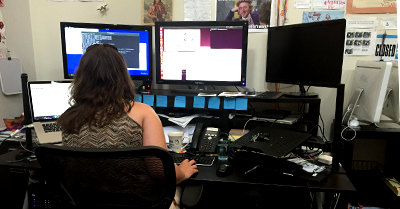
Uploaded By Jana Schmid on 2015-06-29 14:29:56Two weeks ago we welcomed a new MacBook Pro into our mix. This dual GPU updates our spread of hardware for game testing and brings the AMD Radeon R9 370M to our capable hands and allows us to continue our testing on the Intel Iris. We said goodbye to our Nvidia GeForce GTX 750M and sent it live out its years with our Support Ninjas at the CodeWeavers HQ.

First we tested the general functionality of Power BibleCD. This included tests with installation, menus, data entry, and printing.

Then we turned our focus to World of Tanks and the bug reports of red and green flickers in the garage. We were able to reproduce this on most in-house Intel chips prior to an update from Wargaming. Since the update we haven't been able to reproduce the flicker and are working to confirm the bug has been resolved.

Our attention then turned to Terraria. Following reports that installation had gone awry, we put this title through a rigorous testing round on four Linux distributions and the last three versions of Mac OSX (Yosemite, Mavericks, and Mountain Lion). It passed all tests provided our CrossTie was used for installation.

We then tried to understand the differences in mounting network shares over ssh, samba, gvfs, and nfs. We were able to identify differences and offer solutions and workarounds for the issues we discovered. No third party bugs were filed for this issue.

For E3 customers, we tested and updated our information on several titles. We are continuing work with the developers of those games to bring them to Mac and Linux users.

We focused on confirming the bottle upgrade process from CrossOver 13.2, 14.0, 14.1 to each version and to our development branch for Office 2003. This was based on reports that Office 2003 did not upgrade properly and lost all associations during upgrade. We found that all combinations retained the associations as expected on both Mac and Linux systems.


We continued our testing of the new Linux GUI improvements. This included testing and confirming fixes for:
  • The removal of the list of launchers in the Run Command Dialog
  • Adjustment the drop shadow of the Welcome display mode
  • Change to make the installation splash screen size static
At the request of our advocates, we reviewed the verbiage on the download page and removed the verbiage telling users that all links are only good for one session. CrossOver's download links are static and point at demo versions of the product that can be unlocked with credentials from a valid account.

At this point our regular two week testing is going well. We find that most of the applications running in Wine 1.7.45 continue to function as they do with CrossOver 14.1.3 and we have no regressions to report on this version of Wine. We are watching minor issues with Office 2010 and our developers are working to triage them as needed.

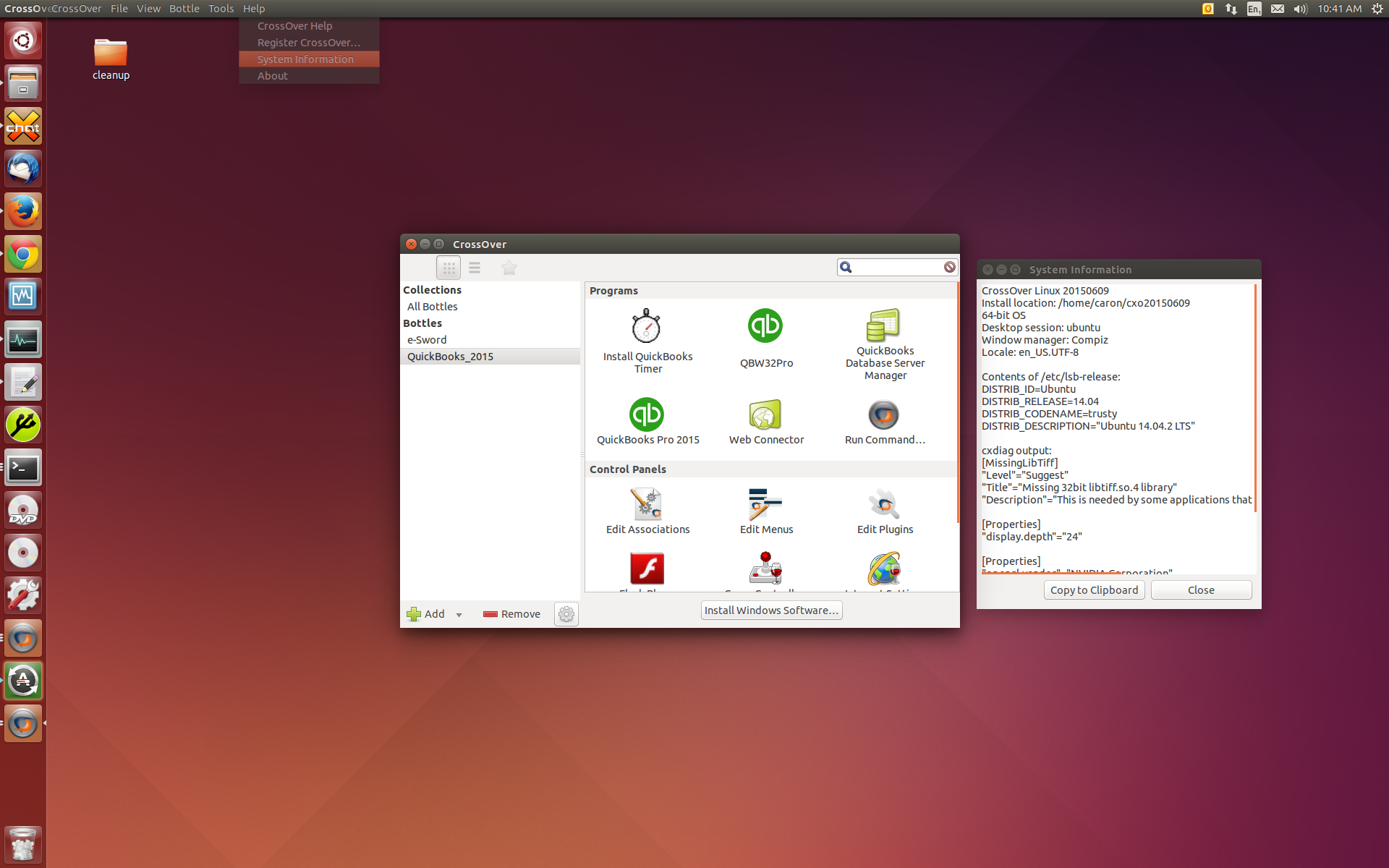
QuickBooks 2015 continues as a focus for the release of CrossOver 15. We retested a hang on launch on MacOS so no further Mac testing was completed. On Linux, we retested a hang on the open of the sample document and confirmed that our possible fixes mitigate the hang. We then tested dual screen usability with QuickBook 2015 and found that many portions of the application become dysfunctional in this setup. We tested crashes with payroll, registration, company creation and more. Unfortunately these issues persist.

We worked through reports of crashes with Steam and released CrossOver 14.1.4 with fixes for some of the crashes that were identified. This work is ongoing, there are several crashes that remain for Steam's interface.

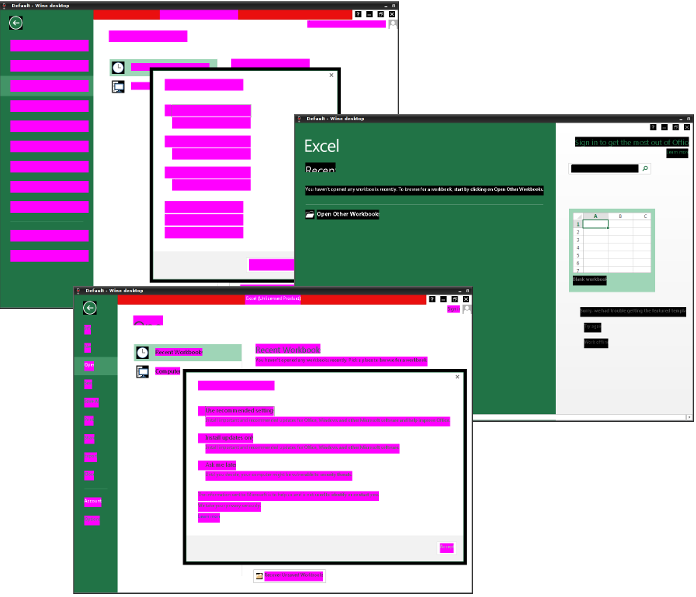
And now we are preparing to test Office 2013 as our developers polish Wine. Screenshots of real rendering text versus magenta blobs mean that our focus will soon shift to what Microsoft Office 2013 can do in CrossOver.


Run Microsoft Windows Applications and Games on Mac, Linux or ChromeOS save up to 20% off  CodeWeavers CrossOver+ today.

Saturday, June 27, 2015

Hey gamers! DirectX 11 is coming to Linux thanks to CodeWeavers and Wine

The chains are loosening. DirectX still binds many PC games to Windows. Now, CodeWeavers expects CrossOver to support DirectX 11 by the end of the year, with Wine gaining compatibility shortly afterwards.

In other words, more Windows PC games will “just run” on Linux, and it’ll be easier for developers to package those games with compatibility code and officially support them on Linux.

CodeWeavers is bringing DirectX 11 to Linux

Wine already supports DirectX 9 very well, but many new games no longer support DirectX 9 and rely on newer versions of Microsoft’s graphics technology. Wine is an open-source compatibility layer that allows Windows applications to run on top of Linux, Mac OS X, and other non-Windows operating systems.

CodeWeavers offers a paid product, known as CrossOver, which is built on top of the open-source Wine code. It pays developers to add features, and those improvements inevitably end up back in the open-source Wine project. CrossOver also provides a convenient interface and more of a guarantee that certain applications will be officially supported and not break.


crossover on ubuntu
While the DirectX 11 support will make it into CodeWeavers’ product before it makes it to the open-source Wine project, the code will be open-source and submitted for inclusion into the Wine project. In other words, CodeWeavers helps fund and support the development of Wine.

During E3 2015, CodeWeavers’ James Ramey posted an update on the CodeWeavers blog:
“In the coming months, CodeWeavers will have support for DirectX 11; better controller support; and further improvements to overall GPU performance. While these incremental improvements for game support may seem small (at first), the cumulative improvements for game support will allow for many of these games to ‘just run’ when released.”
According to a post on Reddit, this code should be done by the end of 2015, and work has already been underway for seven months. The patches will of course be contributed to the open-source Wine project, too.

Why this matters

Microsoft’s DirectX graphics technology is only officially supported on Windows, Xbox, and other Microsoft platforms. The Wine project helps bridge this gap and already supports DirectX 9 very nicely.


crossover install skyrim
Using CrossOver for Linux to play Skyrim.
The new underlying CrossOver technology will also allow developers to port DirectX 11 games to Linux more easily. Linux gamers tend to dislike this type of port and prefer a native game that doesn’t use any Windows compatibility layer, but hey, it’s still better than nothing.

In the past, John Carmack of id Software and now Oculus has even argued that “emulation of some sort is a proper technical direction for gaming on Linux.” The better that DirectX compatibility gets, the easier it will be to port Windows-first games to Linux. And, even if certain games aren’t officially supported, it’ll become easier to just run them without any modification. Big game engines are increasingly supporting Linux, but general Windows compatibility is still helpful.

Run Microsoft Windows Applications and Games on Mac, Linux or ChromeOS save up to 20% off  CodeWeavers CrossOver+ today.

Friday, June 26, 2015

The 10 Things I learned at E3

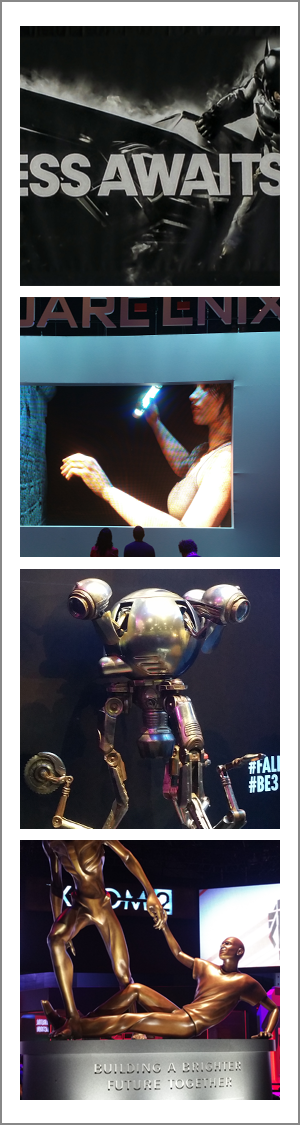
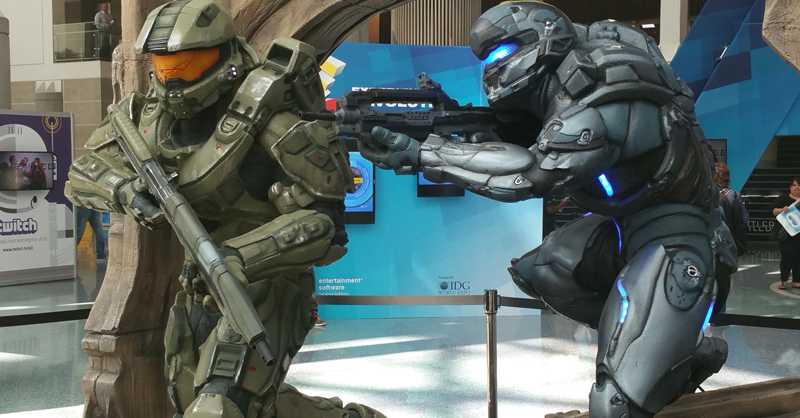
This year, I was fortunate enough to attend E3 in Los Angeles. For those that do not know, E3 is the Electronic Entertainment Expo and spotlights the upcoming video games and other things electronic (mostly just video games) from all the top developers in the world. E3 is much like being at Las Vegas, if Las Vegas was on Red Bull and hadn't slept for 48 hours or so. And while it's hard to focus on any one thing in particular, I was able to learn quite a bit during my two days in California.

1.) Teaming is everything.
Games are moving away from the simple premise that it's you vs. the computer game. Now, it's you and your teammates vs.
people from around the world in a variety of combat situations / simulations. Games are more about 'team sport' and 'high performance' than about solving riddles or achieving simple goals. And gamers are taking this 'team thing' seriously as there is now a Professional Gaming League for most of these games. If your parents ever told you that you couldn't make a living playing video games, THEY LIED TO YOU. The top gamers now make six figure incomes playing games and are treated like 'rock stars' at these events.

2.) You can teach an old dog new tricks.
Just because Star Wars is almost 40 years old doesn't mean it's going softly into that good night. Let that sink in for a minute… Star Wars will turn 40 on May 25, 2017. FORTY!!! Even so, this year E3 featured four Star Wars themed games and all of them looked AWESOME! Maybe the best of the bunch is Star Wars Battlefront (20 vs. 20 multi-player combat game) as it provides you the opportunity to not only fight on the ground (alongside Luke Skywalker or Darth Vader) but also pilot various ships. I'm not sure how much cooler a game based on a 'worn out' 40 year old premise can get!

3.) First person shooters games aren't going to be first for much longer.
Not every upcoming game is focused on killing your opponents (I'm looking at you, Nintendo). E3 featured a smackling of games like Yoshi's Wooly World, Splatoon, Rock Band 4, and Roy Mcllroy PGA Tour (albeit there's a lot of damage you can do with a 4 iron) amongst the otherwise violent staples. Interestingly enough, many of these 'tamer' games got very positive reviews and were very well received which goes to show that a well done game is a well done game and can be appreciated on its own merits.

4.) You can't polish a turd, but you can still roll it in glitter.
Batman: Arkham Knight for the PC is a beautiful but very broken game. Thousands of bad reviews won't 'patch' this game on the PC anytime soon.

5.) Sequels are good if you do them right.
If it worked once or twice or three times, you can most likely get another title out of it. Call of Duty: Black Ops 3, Assassin's Creed Syndicate, Payday 2, XCOM 2, and Uncharted 4: A Thief's End are just a handful of the sequels coming out this fall. And if you liked playing these games the first time, you'll appreciate the opportunity of déjà vu all over again. Not sure we need a Street Fighter V, but I guess these franchises will live on (at least for another year).

6.) Twitch isn't just a short, sudden jerking movement.
Twitch is a real thing! I guess I'm shocked that an Internet channel dedicated to broadcasting professional league battles of various video games is a real thing. But at E3, it was Twitch that was broadcasting live from almost every booth just like a major network. Twitch has actual commentators, features professional gamers, and announces video game battles just like announcers would do for a professional sport. It was wild to hear commentary of in-game battles and have announcers describe the action. I'm pretty sure that they were making most of it up as they went along; BUT, they were making it up as they went along. I remember doing the same thing as a child when playing my favorite Atari 2600 games. Of course back then, my parents thought it was weird and had me quiet down. Today, I'd be a rock star with my own show.

7.) Behind every successful E3 visit is a fabulous pair of shoes.
E3 covers a lot of physical space. I averaged walking almost five miles a day to cover all the ground in both convention halls.
Honestly, I don't even like to drive five miles. Glad I brought a good pair of shoes.

8.) A man, a tan and a plan.
Okay well, maybe not a tan. It's hard to see everything at E3. As such, I planned what I wanted to do and where I wanted to go beforehand. Even with a plan in place, it was challenging to see all the exhibits and games I wanted to see. Worse yet, most games had a one to two hour wait in line. Heck, the wait to see the 12 minute movie for XCOM2 took nearly 50 minutes (a 50 minute line to see a movie about a game – smells of Disneyworld). But, I did get to play Witcher III, SMITE, Alekhine's Gun, Battlecry, Blood Bowl 2, and Pro Evolution Soccer 2016. Very cool games, but they all required a bit of planning and patience (and possibly pushing people out of the way) to experience.

9.) Every day is a fashion show and E3 is your runway.
I found it hard not to stare at people who were dressed up in elaborate costumes of their favorite video game characters. Boba Fett, check. Chun Li, check. Lara Croft, check. I'm not sure I'd ever take my love for video games to 'this level', but it was commendable to see others so dedicated to 'their game' (and honestly if you're going to walk around a convention hall in a Princess Leia bikini, you should be commended for your bravery).

10.) E3 is CodeWeavers oyster.
Not many Mac or Linux titles on the horizon. There was obviously 'some' titles coming to the other platforms, but it's still a predominately PC world. To this effect, I think CodeWeavers can help in supporting some of these titles for Mac or Linux users in CrossOver. We'll be looking to get Beta of many of the top games from E3 to work on support for the coming version of CrossOver. And while we might not get every game, I'm sure that there will be one or two or more games that will run very well in our technology.

Run Microsoft Windows Applications and Games on Mac, Linux or ChromeOS save up to 20% off  CodeWeavers CrossOver+ today.

Saturday, June 20, 2015

Direct X 10 and 11 coming to Mac and Linux computers


Direct X 10 and 11 is on its way to Mac and Linux computers via Wine and CrossOver.

From the last paragraph of this post 

How do these games impact Mac and Linux users? Well, they don't. That's the rub in all of this. Most of these games are PC only. However, you might still be able to play these titles on your Mac or Linux computer when they are released later this year using CrossOver. In the coming months, CodeWeavers will have support for DirectX 11; better controller support; and further improvements to overall GPU performance. While these incremental improvements for game support may seem small (at first), the cumulative improvements for game support will allow for many of these games to 'just run' when released. And when more games 'just run' in CrossOver, it won't matter if you're battling against Thor or Apollo using a PC, a Mac, or a Linux computer.

Run Microsoft Windows Applications and Games on Mac, Linux or ChromeOS save up to 20% off  CodeWeavers CrossOver+ today.

Get New Wine Features Faster With Wine Staging

Wine Staging is a Wine version which provides bug fixes and features that aren't yet available in regular Wine versions.


Wine Staging (formerly known as Wine Compholio) was initially created for Pipelight, a project that brings Silverlight and other Windows-only plugins to Linux web browsers. The project has evolved and some Linux distributions, like Fedora, provide it in the official repositories instead of the regular Wine version.

The latest Wine Staging provides the following extra features and bug fixes:
  • CSMT (Commandstream multithreading) for better graphic performance
  • CUDA / PhysX / NVENC Support for NVIDIA graphic cards
  • DXVA2 GPU video decoding (experimental)
  • EAX 1 support
  • Fixes for various upstream regressions
  • Job Object support
  • Loading of .NET CLI images without entry point
  • Named Pipe message mode support (Linux kernel >= 3.4 only)
  • Performance improvements for IO-heavy programs and memory allocation functions
  • S3 texture compression (DXTn) support
  • Threadpool API support
  • Various improvements to d3dx9
  • Various speed improvements (shared memory, RT priority)
  • Windows ACL support
  • Wine PulseAudio driver
For a complete list, see the Wine Staging GitHub page.

Some of these features are optional and they can enabled or disabled via Wine Configuration, on the Staging tab:


Install Wine Staging in Ubuntu or Linux Mint


Wine Staging is available in the Pipelight PPA for Ubuntu, Linux Mint and derivatives. To add the PPA and install Wine Staging, use the following commands:
sudo add-apt-repository ppa:pipelight/stable
sudo apt-get update
sudo apt-get install --install-recommends wine-staging
 
If you're on 64bit and want to use the 64bit Wine version, also install 'wine-staging-amd64':
sudo apt-get install wine-staging-amd64
 
The Wine Staging executables aren't installed in /usr/bin (and aren't available in your PATH by default), but under /opt/wine-staging/bin/. Thanks to this, you can continue using the regular Wine version as well as Wine Staging - to run any Wine Staging executable, simply add "/opt/wine-staging/bin/" in front of the executable, like this:

/opt/wine-staging/bin/wine
/opt/wine-staging/bin/winecfg
... and so on.

However, if you don't want to type the full path each time you want to use Wine Staging, you can install a package which provides compatibility symlinks (but you won't be able to use the regular Wine version any more):
sudo apt-get install wine-staging-compat

For more information, see the Wine Staging Usage page.

The Wine Staging developers provide binaries for Arch Linux, Debian, Gentoo, Mageia and OpenSUSE - for installation instructions, see THIS page.

Run Microsoft Windows Applications and Games on Mac, Linux or ChromeOS save up to 20% off  CodeWeavers CrossOver+ today.